Styling Addon
minified version - https://files.kaiten.ru/web-sdk/v1.min.css
unminified version - https://files.kaiten.ru/web-sdk/v1.css
The simplest way to add styles to an iframe is to use our basic CSS styles. Both minified and unminified versions are available.
To use our basic stylesheet, simply use the link tag in all your HTML files, for example:
<html>
  <head>
    <link rel="stylesheet" href="https://files.kaiten.ru/web-sdk/v1.min.css" />
  </head>
  <body>
    ...
  </body>
  <script src="./js/client.js"></script>
</html>
This file contains both the base styles (normalize.css) and CSS classes for fundamental DOM elements (and will be gradually expanded)
The styles correspond to the color theme, meaning they automatically reproduce different colors depending on whether the user is in light or dark mode. Be sure to call Addon.iframe() within the script in your HTML files - this call initializes CSS variables for the current color scheme.
| Classes | Description | Example |
|---|---|---|
| .addon-btn <button class="addon-btn">Cancel</button> | Button styles (usually secondary button) |  |
| .addon-btn-primary <button class="addon-btn-primary">Submit</button> | Primary button |  |
| .addon-input .addon-input-label <label for="logText" class="addon-input-label">Time log</label> <input type="text" id="logText" class="addon-input" name="logText" | Input field | 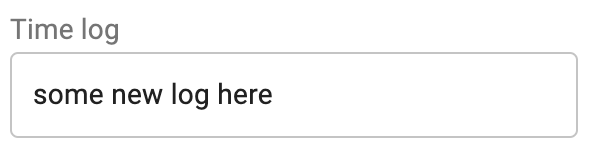 |
CSS variables available after calling Addon.iframe() (specific variable values depend on the color theme currently being used by the user (light/dark))
| Variable | Description |
|---|---|
| --addon-text-primary-color | Main text color |
| --addon-text-secondary-color | Secondary text color (gray) |
| --addon-primary-color | Theme primary color |
| --addon-error-color | Error or warning color |
| --addon-success-color | Success action color |
| --addon-divider | Divider color |
| --addon-background-level1 | Background main color |
| --addon-background-level2 | Background secondary color |
Example :
.some-class {
  color: var(--addon-text-secondary-color)
}
Fonts
Kaiten main font - Roboto
Add this font to all HTML files displayed in iframes (for example, using https://www.npmjs.com/package/roboto-fontface ).
